
Add permission to external guests in SharePoint
In this manual we describe how to invite external users from other organizations to a SharePoint site.
If you already have a team connected to your Sharepoint site, you can invite a member to a team or channel.
If you don’t have a team connected to your SharePoint site, you can add a team to your SharePoint site.
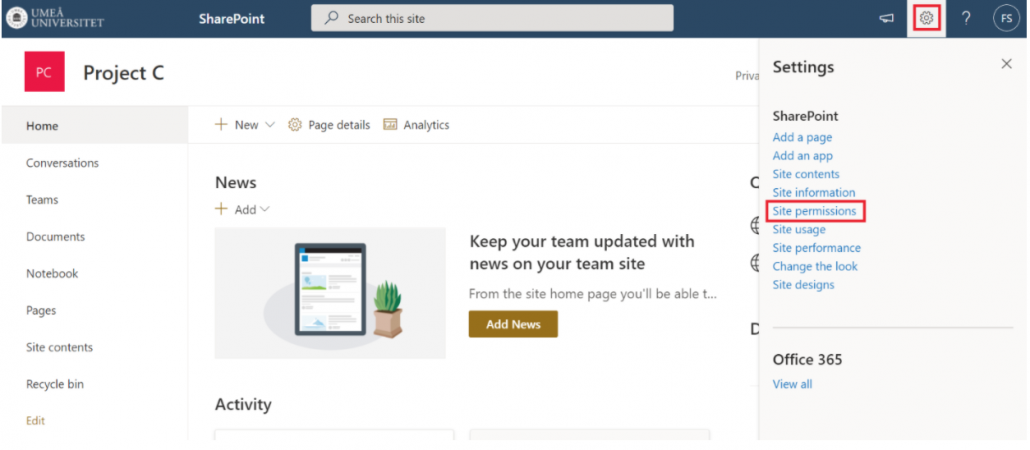
- Go to the homepage of the SharePoint site and select the settings icon in the upper right corner. Then select Site permission.
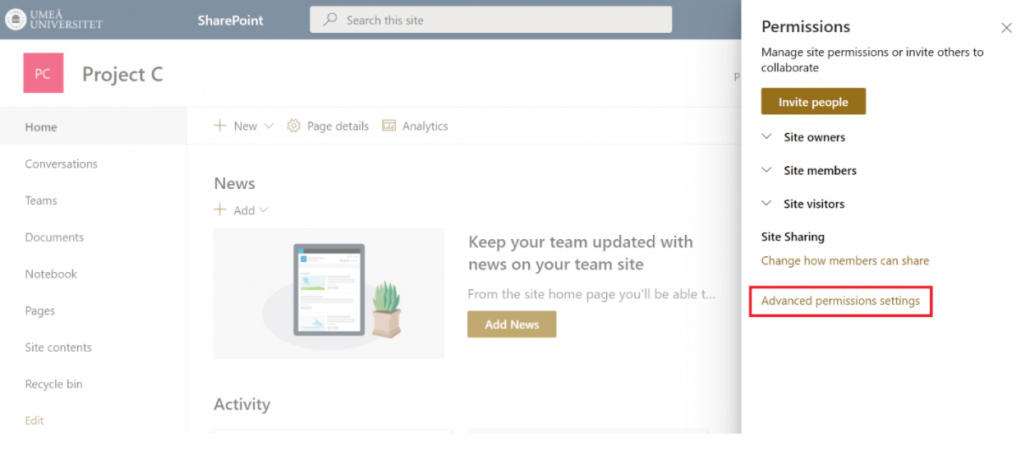
- Select Advanced permissions settings.
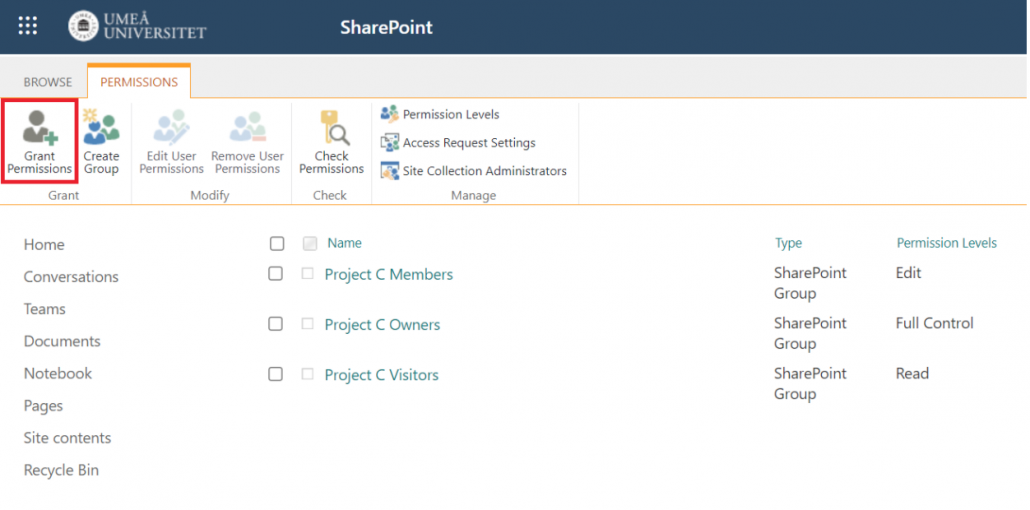
- You have now accessed the advanced permission interface. Here you can add external users from other organizations by selecting Grant permissions. Keep in mind that the external user will be able to access the entire SharePoint site.
- Enter the external users email address. You can also enter multiple email addresses.
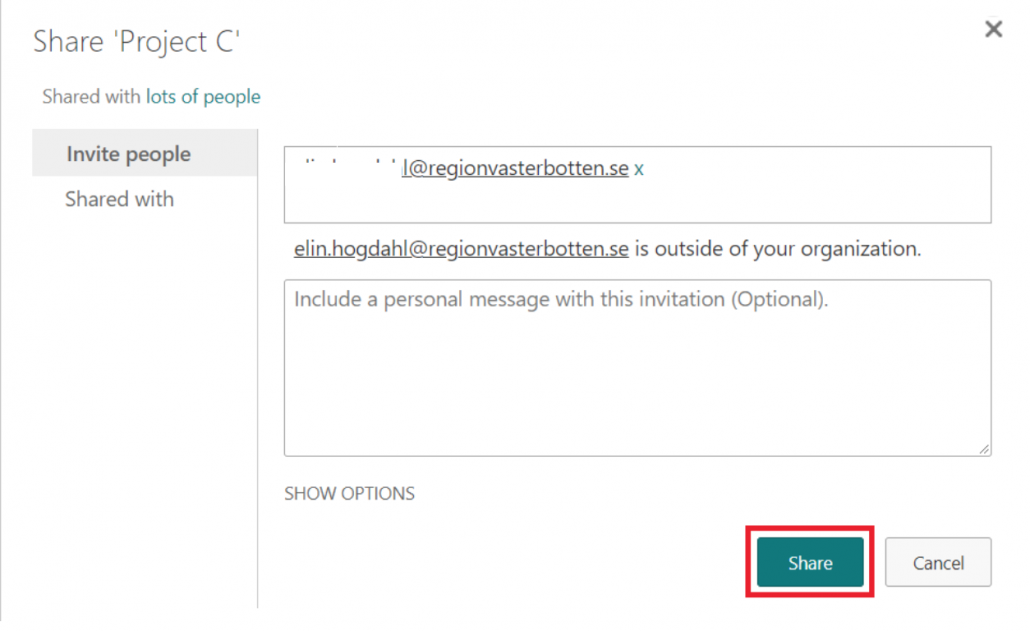
- Select Share. The people you have invited will now receive an email with the link to the SharePoint site.