
Apply for guest account
You can apply for a guest account at Umeå University and be assigned a UMU ID using e-identification.
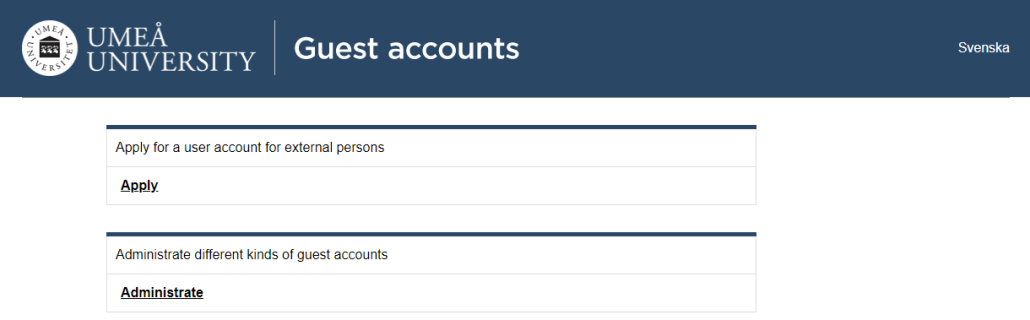
- Go to administrationsverktyg.umu.se/gastkonton/home
- Click on Apply
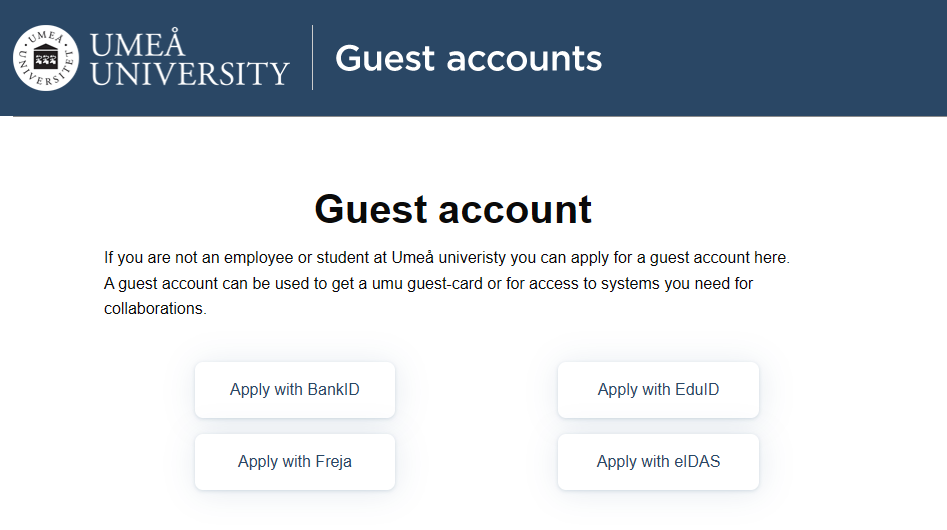
- Choose if you want to apply using BankID or Freja eID+
- When you’re logged in you’ll see your personal information about yourself and can complete the details. Your phone number is not mandatory information.
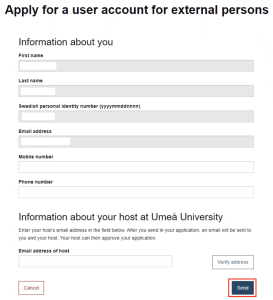
- At the bottom, enter the name of your contact person at Umeå University. (Note that it is important that you have informed your contact person at Umeå University that you have listed them as your host and that you will be applying for a guest account).
- Then click Send.
-
Your application is now being processed by the contact person/host you specified. The host will complete the application, which will then be forwarded to the head of department. Once your application has been approved, you will receive an email with instructions on how to activate your account.