
Open a shared mailbox in webmail
You can open a shared mailbox in webmail. This includes the ‘funktionsbrevlåda’ Umu uses.
Step 1
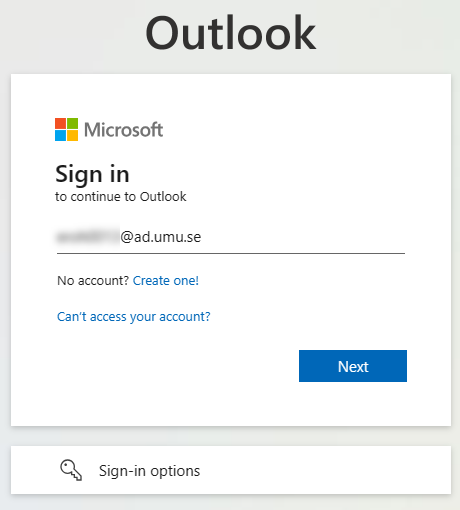
Go to https://outlook.office.com/mail/ and type Umu-id@ad.umu.se and click Next.
Step 2 – Log in
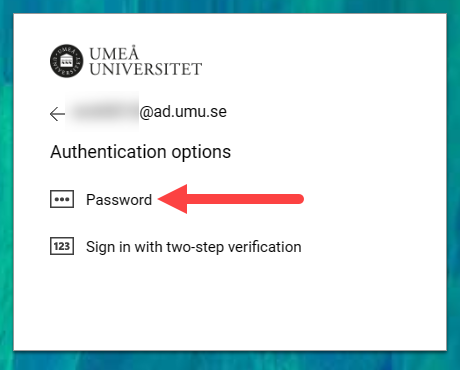
Click on Password.
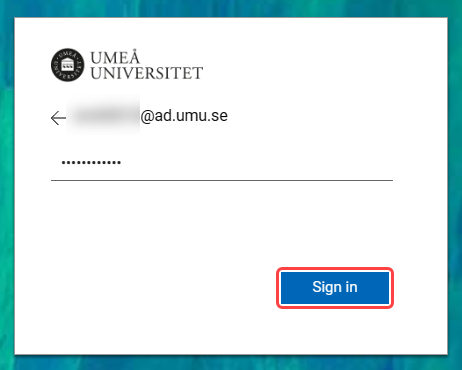
Enter the password for your Umu-id and click Sign in.
Follow the on-screen instructions to possibly verify the login via MFA.
Step 3 – Open the mailbox
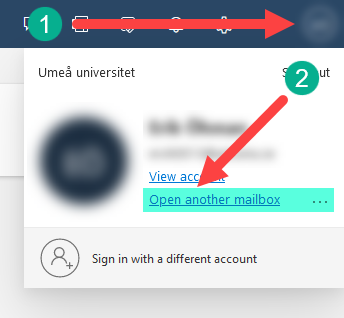
Click on the avatar 1️⃣ in the upper right corner and then click on Open another mailbox 2️⃣.
Step 4 – Enter the mailbox
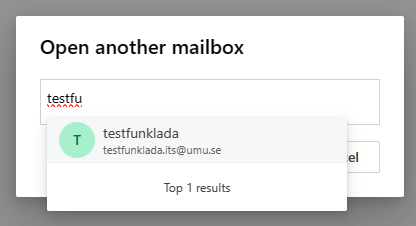
In the search box that opens, search for the mailbox you want to open.
When you find the right one, click on the mailbox.
Click Open.
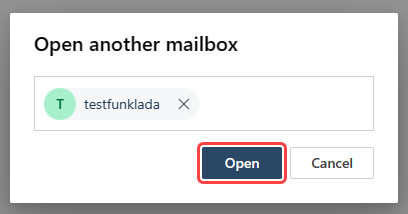
A new window with that mailbox will then open up if you have the rights to manage it.