Application for Erasmus+ teacher exchange
When you have found your host/signed up for the course you can start the application.
The application consists of two steps. You will need to fill out detailed information about your planned exchange to generate a mandatory document:
- Mobility Agreement, this document has to be signed by you, head of department and host institution,
When the document has been signed, you need to login again and submit them to complete your application.
At the bottom of this page you can also find information about what you need to to after your exchange.
Log in to your account
- Go to: Solemove start page
- Login using your umu-id.
Create an application
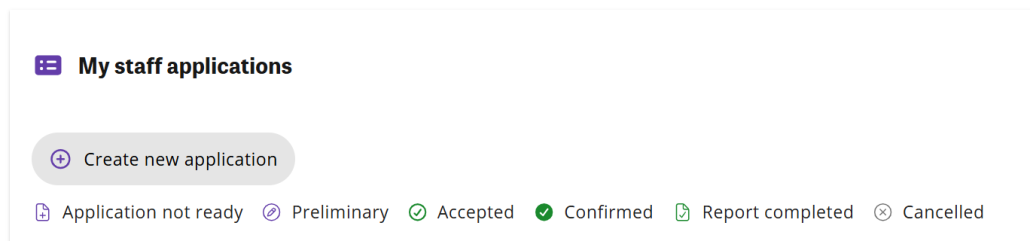
- Click ‘Create new application’.
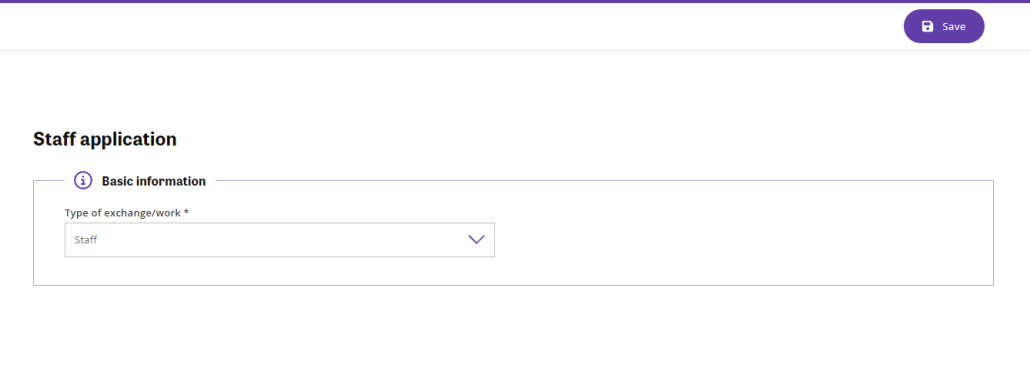
- Choose Type of exchange/work: Teacher. (Choose this if you are doing a combined teaching-training mobility as well)
- Direction of exchange is already to: Out.
- Click ‘Save’.
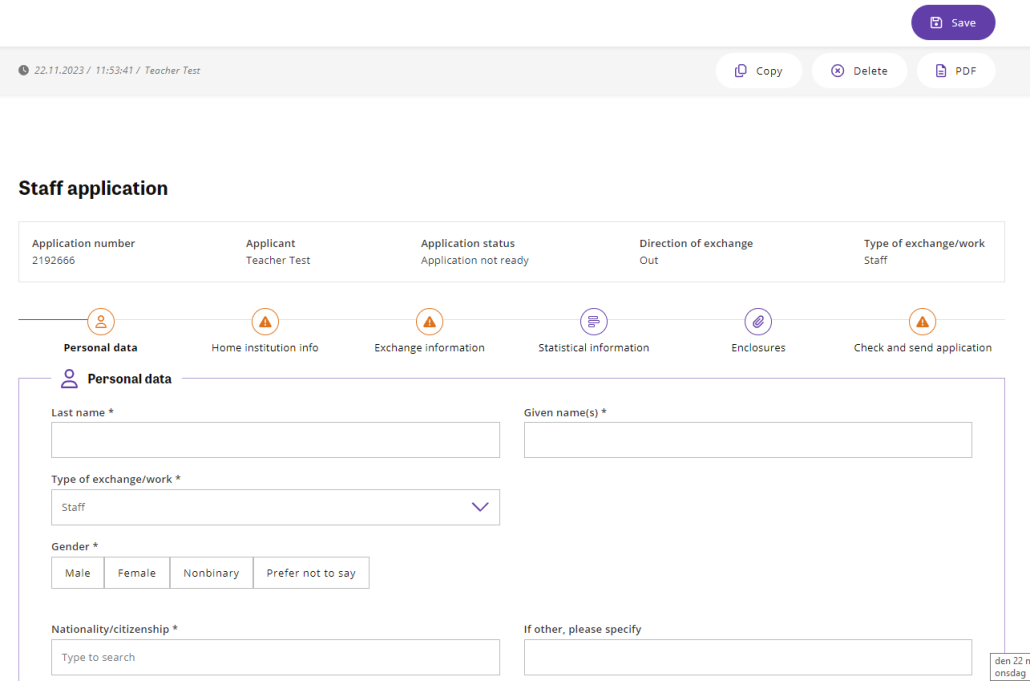
Personal data
- Fill in your personal information. In the field ‘Job assignments and the mobility’ maximum number of words is 140.
- Click ‘Save’.
Home institution info
- Fill in the information.
- Click ‘Save’.
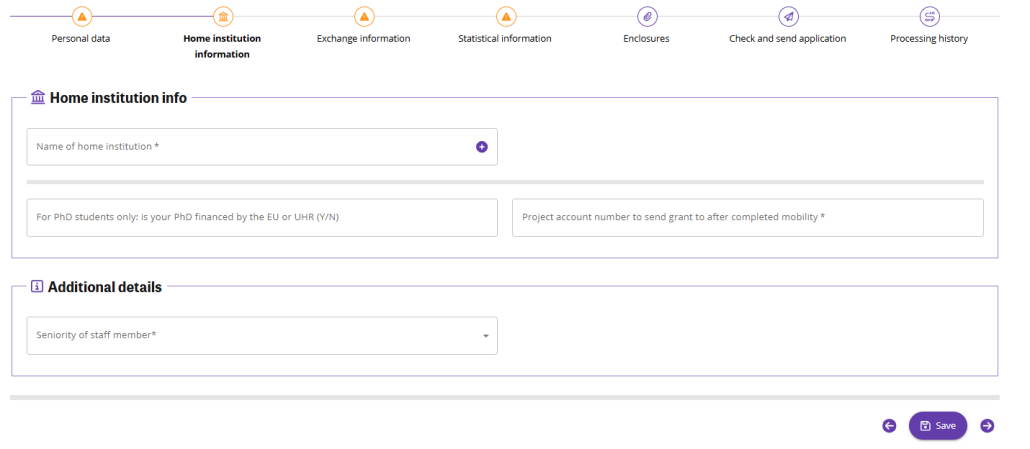
Exchange information
- Name of host institution: click the magnifying glass to search for your host institution. Start writing the name of the host institution and click magnifying glass. If the name is visible tick the box and click ‘Select’. If you cannot find it in the list, send an e-mail to solemove@umu.se
- Mobility type: choose ->‘hei2hei – to Higher Education Institution’
- Choose ‘Agreement’
- For ‘Exchange program’ choose ERASMUS.
- Fill in exhange start date and end date – including travel days.
- Fill out EU subject area at host
- Click ‘Save’.
After you click ‘Save’, you will now see the three tabs above the form. Fill out the tab ‘Statistical information for staff abroad’ before downloading this document.
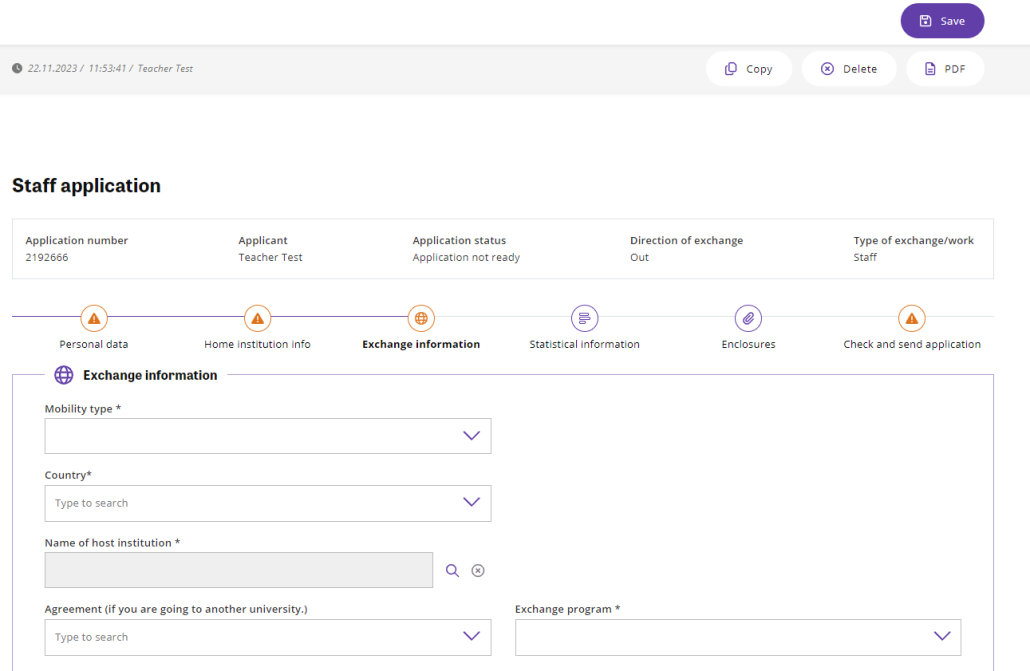
Statistical information
- Fill out the information.
- Duration of teaching days must be at least 2.
- Duration of teaching in hours must be at least 8h/week (for exchanges 2-7 days. Exchanges for 2 weeks = 16h teaching etc. For exchanges 7+ days, ending with an incomplete week additional 1,6h/day must be added). For a combined teaching-training mobility, the teaching minimum is reduced with 50%.
- Mandatory fields and brief explanation:
Overall objectives of the mobility (main goal/s).
Why do you participate in the mobility? Part of a strategic cooperation? Part of a department strategy? Pedagogical development? Teaching experience? Build up pedagogical portfolio? Get new perspectives on your teaching?
Added value of the mobility
In what way/s does the mobility add to/assist to reach the main goals of the mobility (see question above)?
Content of the teaching programme
Brief explanation/summary of the teaching (or teaching-training) that is planned. Add information here if you are doing a combined teaching-training mobility
Expected outcomes and impact (expected results; individual and/or institutional + spreading results)
Professional development of the staff member and for participating institutions. How will the outcomes be spread to others (staff and/or students) to enhance institutional impact through for example APT, pedagogical seminar, written reflection to include in pedagogical portfolio.
- Some of this information will automatically be added in the Mobility Agreement document, therefore it is important that you fill out this tab and save it before downloading any documents.
- Click ‘Save’.
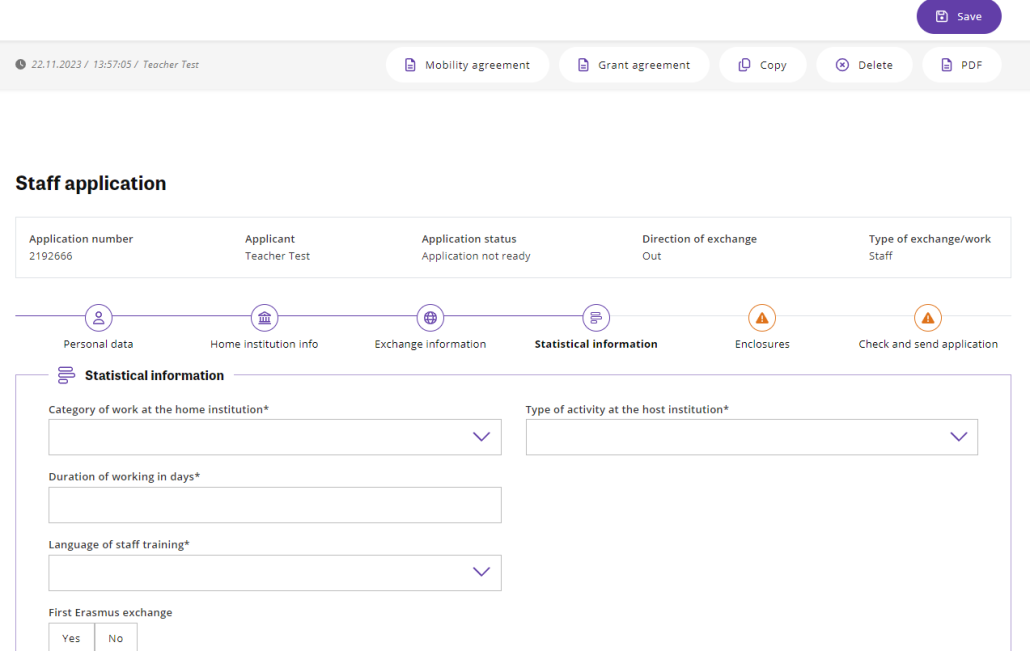
Sign Mobility Agreement
The document can be found above your application.
Download it after filling out all information in the first four tabs.
- Print the Mobility Agreement and sign it. It must also be signed by the head of your department and the host institution. You can sign the Mobility Agreement, with EduSign, https://edusign.sunet.se/, however, please remember that a document signed with EduSign cannot be altered.
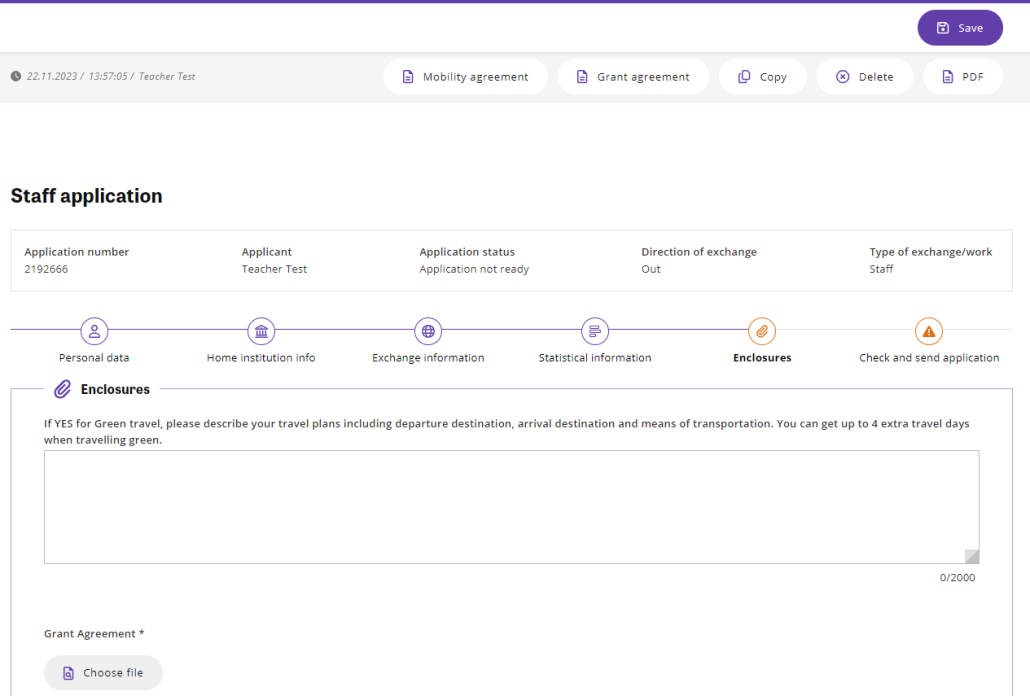
Enclosures
- Upload the signed Mobility Agreement
- Upload the work plan (can be a schedule or other similar information concerning your exchange) in the tab, N.B: full-time is expected
- Click on ‘Choose File’ to add file.
- If applicable; also write information regarding green travel.
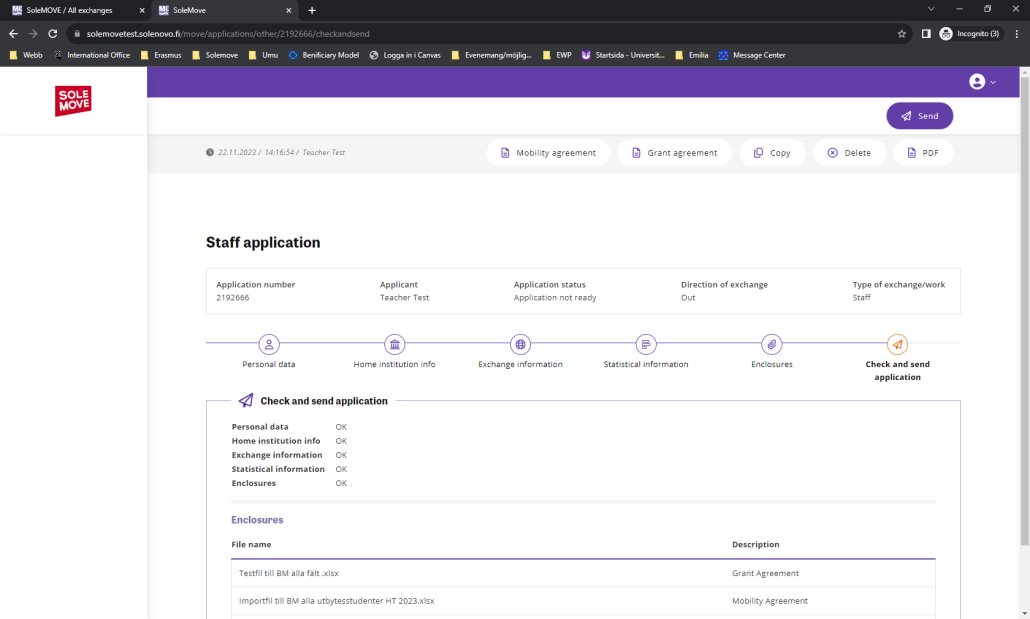
Check and send application
- Check to see that all tabs have an ‘OK’ after and that you have uploaded the right files in the Enclosures. Then click ‘Send’ in the top right corner.
- A window will open asking if you want to send the application, choose ‘Yes’ to send in, or ‘No, cancel and return’ if you want to wait.
- NOTE! If you have or have had the role of Officer in Solemove, the button ‘Send’ will not be available. Even though you can’t send it, your application will still be visible to staff at International Office.
When you have submitted your application, International Office administrator will review your application. Should they have any questions, they will reach out for clarification. After acceptance, you will receive an invitation via EduSign to sign your Grant agreement which contains information regarding your grant and terms & conditions via EduSign. Access EduSign, read through the Grant Agreement and sign as soon as possible to confirm that you accept.
After this, International Office administrator will upload the signed Grant Agreement in Solemove and confirm your application. You will receive an email when it has been accepted by an officer at International Office. Attached to the email you will find the certificate of attendance. Remember to bring it with you to the host institution so they can sign it for you before you return.
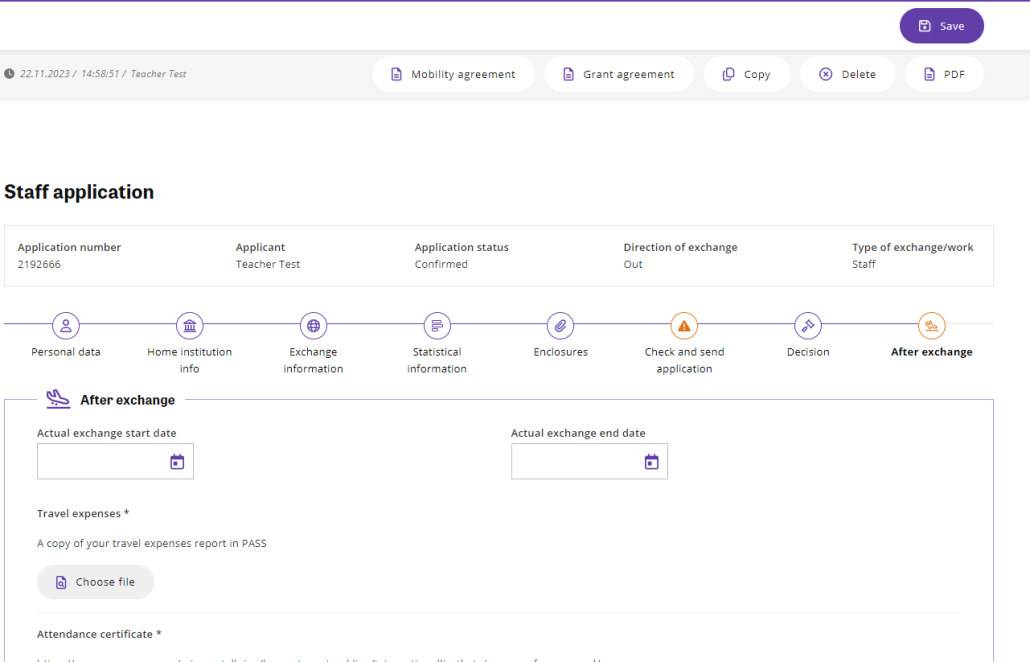
After the exchange
An online staff report for you to complete will be sent to your email address. This report must be completed after your staff mobility period.
International Office will reimburse your department/unit for travel and subsistence costs after the mobility period is completed. The reimbursement will be calculated according to the Erasmus financial guidelines. For information about these guidelines, see the document Standard amount for staff exchange at: Erasmus+ for staff
You will also need to upload the following documents in Solemove when you return:
- A Certificate of Attendance signed by the host university, confirming the start and end dates for your staff visit/teaching exchange at the host institution.
- A copy of your travel expenses report in PASS (reseräkning).
Log in to your account
- Go to: Solemove start page
- Login using your umu-id.
- You will find your old application/s under your the tab ‘Create your application’. Click on the pen next to the application you would like to update.

- Click the new fourth tab called ‘After exchange’.
- Enter your Actual exchange dates. Including travel days.
- Click on the pen next to each document name to attach the corresponding file. The documents that needs to be uploaded are: Certificate of Attendance and a copy of your travel expense report from PASS.
Remember to click ‘Upload file’ to attach your documents.