
Manual

Manual
  • Svenska
  • Menu Menu

Move or copy files in SharePoint

Updated: 2025-10-09/in Employee, English, Microsoft 365, Sharepoint, Student /by Oscar Lundberg

In this manual, we decribe how to move and copy files within and between SharePoint websites. 

  1. Open the SharePoint website and select Documents in the left menu.
  2. Hover the pointer on the file/folder you want to move or copy to see a hidden menu.
  3. Select the three dots.
  4. Select Move to if you want to move the file to another place (the file will be deleted from existing place).
  5. Select Copy to if you want to move and copy the file to another place. (the file will remain on the existing place).
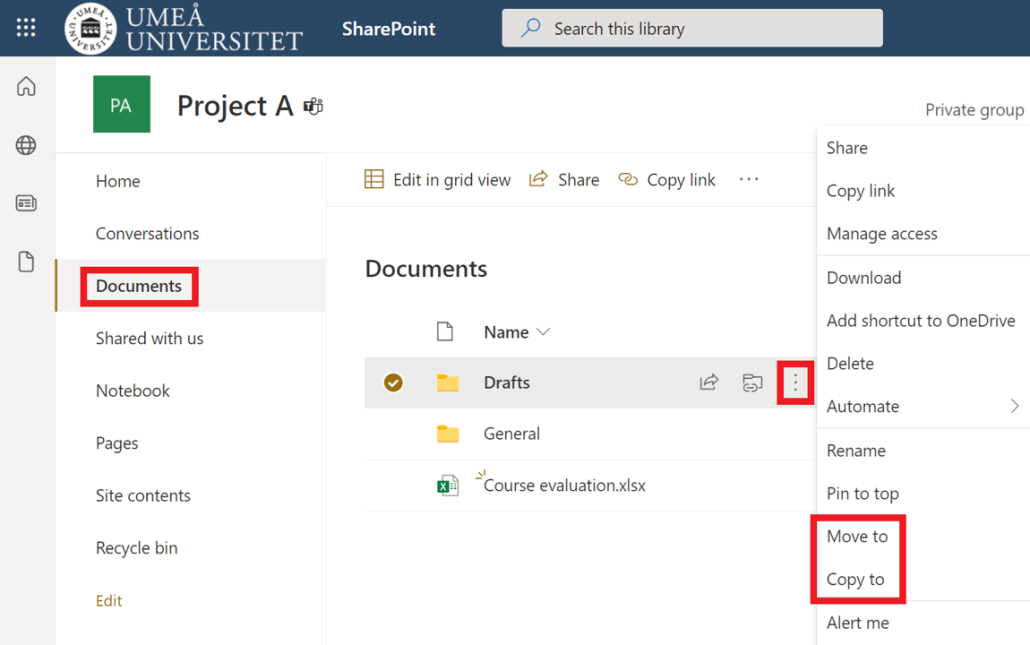
    Move or copy files in SharePoint
  6. A menu will open to the left of the screen, select where you want to move or copy the file/folder to and then click Move here.
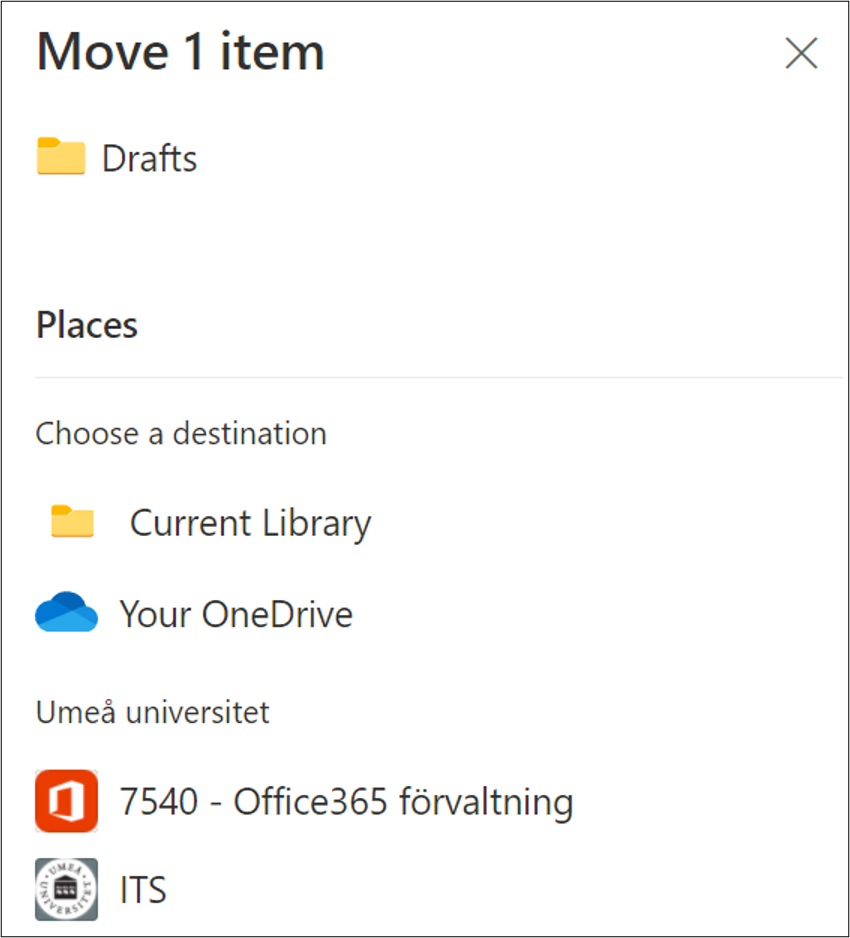
    Move or copy files in SharePoint - select place
https://manual.umu.se/wp-content/uploads/2018/02/manual-loggo.png 0 0 Oscar Lundberg https://manual.umu.se/wp-content/uploads/2018/02/manual-loggo.png Oscar Lundberg2021-10-15 08:45:342025-10-09 09:34:36Move or copy files in SharePoint

Contact ITS Service Desk

Create a support ticket at www.umu.se/servicedesk, call 090-786 63 00 or visit us next to Infocenter.

Kategorier

Related links

  • Create a document library in SharePoint
  • Upload files and folders in SharePoint
Scroll to top Scroll to top Scroll to top