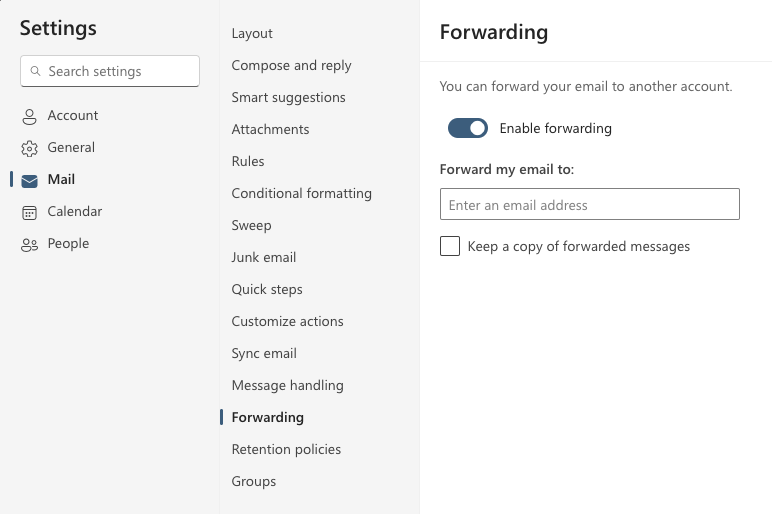
Outlook 365 email forwarding
If you want to forward your e-mail automatically from the @student.umu.se account, do the following:
1. Go to m365.umu.se and on to Outlook which you will find on the left, Appar.
2. At the top right you will find a gear wheel, select Outlook settings.
3. Go to Forwarding and enter the email address you want to mail to be sent to and save.
If you want emails to be saved in the student email, check to Save a copy of forwarded messages.