
Manual

Manual
  • Svenska
  • Menu Menu

Show Closed Caption in a movie in Umu Play

Updated: 2025-12-15/in English /by Karl Idberger

If there is a Closed Caption created to a movie it will show as a icon “CC” at the bottom right corner in the player.
Click for Enable or Disable the Closed Caption
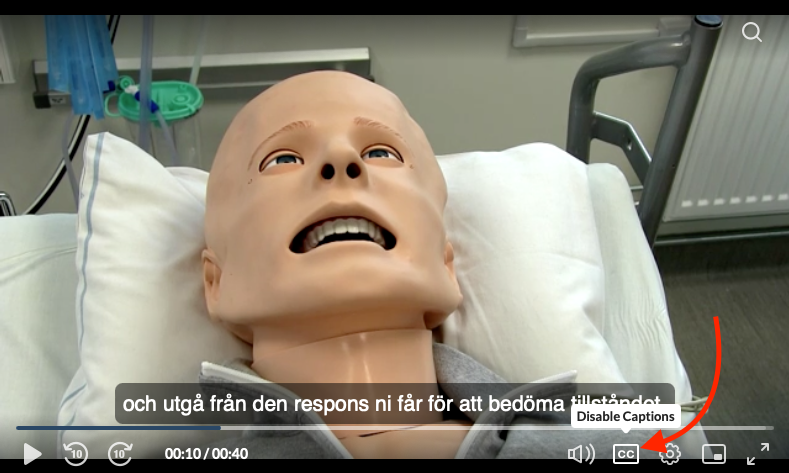


Now, the Closed Caption is visible in the movie


You can also adjust the appearence of the Closed Caption via the Options menu


Tags: CC, closed captions
https://manual.umu.se/wp-content/uploads/2018/02/manual-loggo.png 0 0 Karl Idberger https://manual.umu.se/wp-content/uploads/2018/02/manual-loggo.png Karl Idberger2022-11-30 13:41:432025-12-15 14:41:38Show Closed Caption in a movie in Umu Play

Contact ITS Service Desk

Create a support ticket at www.umu.se/servicedesk, call 090-786 63 00 or visit us next to Infocenter.

Kategorier

Scroll to top Scroll to top Scroll to top