
Publish your personal page in the staff directory
When you publish your presentation text, profile picture or your own DiVA listings, it is important that you scroll back to the top of your profile page so you can see the Publish profile button. It is this button that publishes your changes, so use it!
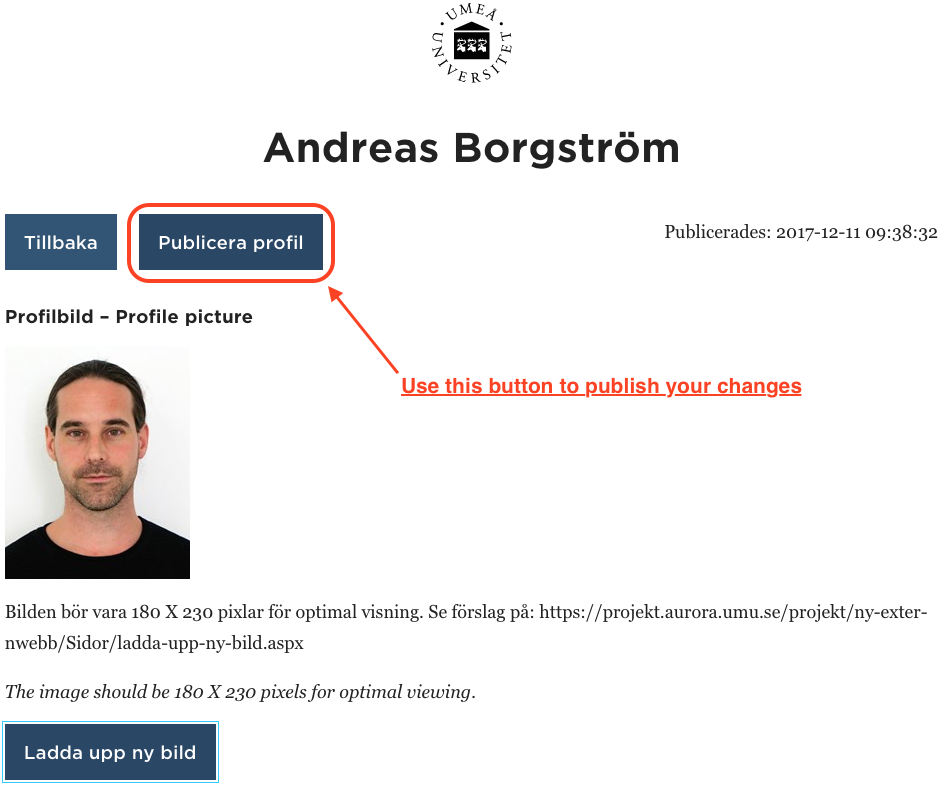
Your profile page will not be published when you…
Once you’ve come a bit further down on your profile page, you will no longer see the Publish profile button but rather a gray bar with texts that say, Changes to be published, and a button that says Publish? Do not use this, because your changes will not be published, but will be set in the ready to be published mode. This publishing feature is available in Episerver and is used by editors who have editorial rights in Episerver.
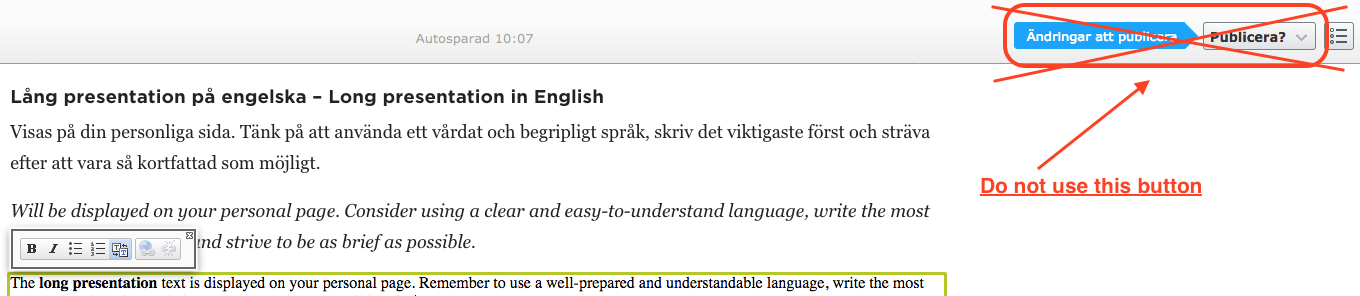
What will happen if I “accidently” click Publish instead of Publish profile?

If you notice that your changes were not visible externally when you visit your profile page (without editing it), you can fix it by Edit profile followed by Publish Profile.