
Block or release quarantined email
When an email has ended up in the spam filter, you will receive an e-mail from the sender noreply@umu.se that you have an email in quarantine. If you believe the message to be safe, you can choose to let it through so it ends up in your inbox. If the message is spam, you don’t need to do anything, it will be automatically deleted in 30 days.
This is what the message looks like:
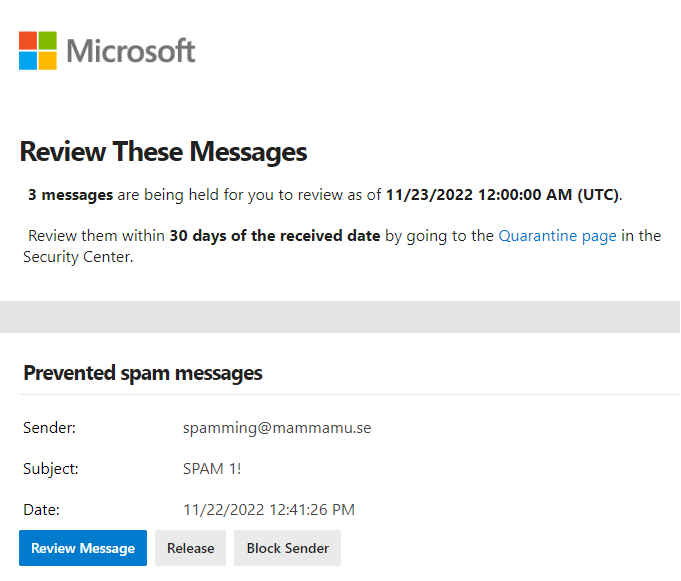
Select Release to send the message to your inbox.
Select Block sender to block the sender.
Select Review Message to review the message to decide whether or not to let it go through. You will then see this view:
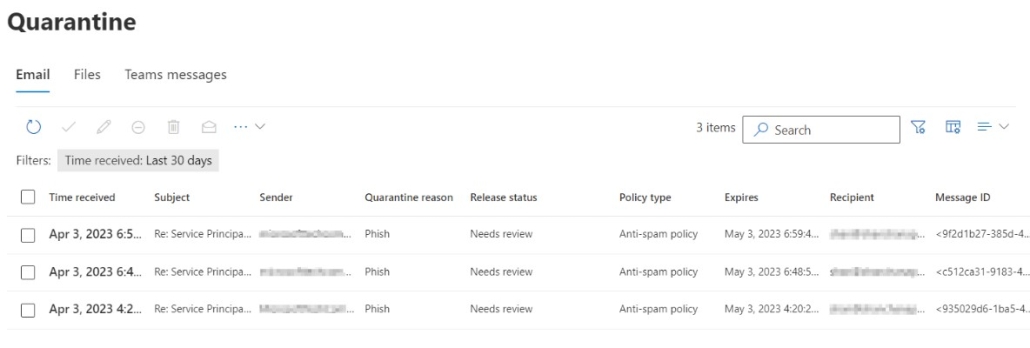
Select the message and whether you want to release or delete it.