Manual

Manual
  • Svenska
  • Menu Menu

Change standard method for login (MFA)

Updated: 2025-12-15/in Employee, English, Multi-factor authentication /by Maja Wik

If you want to change your standard method for login, you can change it with this method.

  1. Visit the website Microsoft Safety info.
  2. Click the menu Security info.
    Add method multi-factor authentication
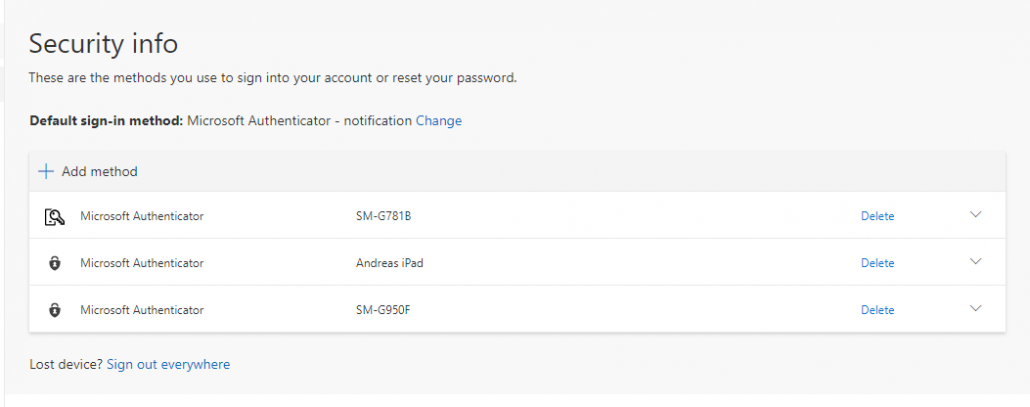
  3. Click on Default sign-in method.
  4. Choose between using a code from you app or getting a notification from the app.
  5. Done!
https://manual.umu.se/wp-content/uploads/2018/02/manual-loggo.png 0 0 Maja Wik https://manual.umu.se/wp-content/uploads/2018/02/manual-loggo.png Maja Wik2021-05-21 13:40:352025-12-15 11:14:06Change standard method for login (MFA)

Contact ITS Service Desk

Create a support ticket at www.umu.se/servicedesk, call 090-786 63 00 or visit us next to Infocenter.

Kategorier

Related links

  • Add multi-factor authentication on new device (MFA)
  • Activate multi-factor authentication (MFA)
Scroll to top Scroll to top Scroll to top