
Inviting multiple users to a team in Teams
Here are two tips on how to invite members to join a team themselves. Note that these options only work for users with an account at Umeå University.
Invite with a code
All teams have a code that can be used to join the team. The person using the code will join the team immediately. Please note that only people with Umu accounts can connect with a code and that everyone that has access to the code can connect with the team without your permission.
Get the team code
- Go to your team. Select the three dots to the right of the team name.
- Click Manage Teams.
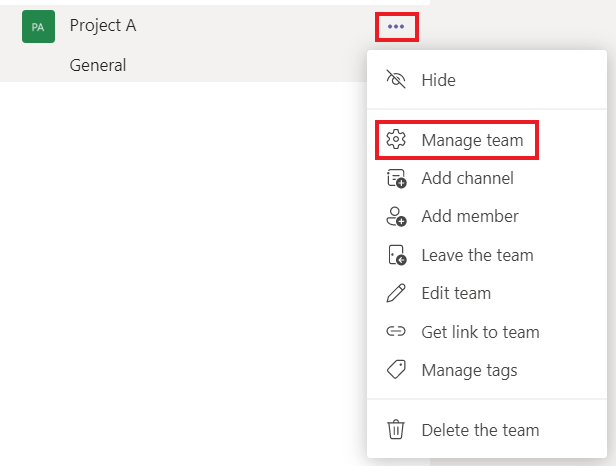
- Go to Settings.
- Select Team Code.
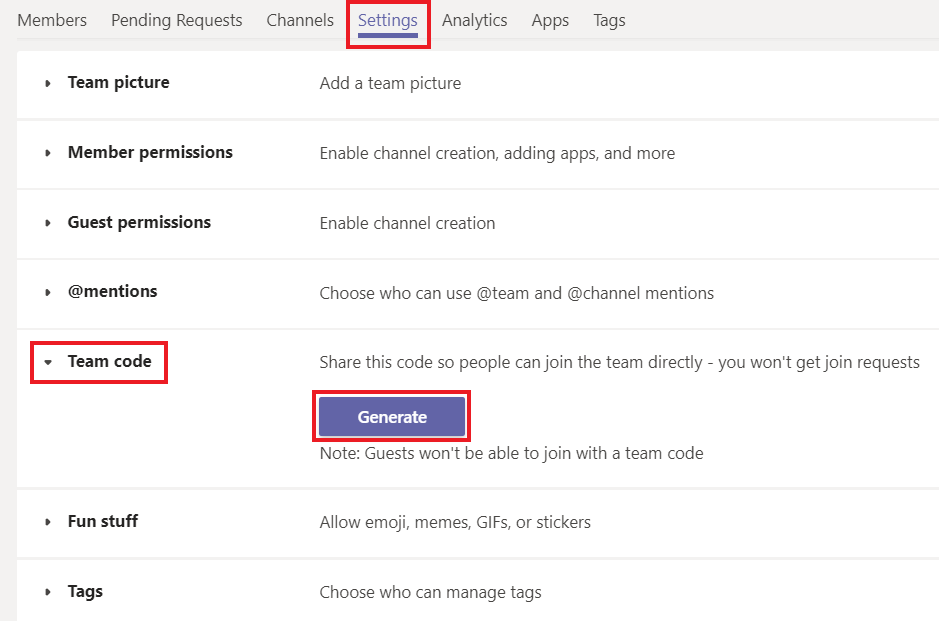
- Click Generate to generate the code that you can copy and share to the people you want to invite to your team.
Join teams with a code
- Go to Microsoft Teams and select the Team tab.
- Click Join or create a team.
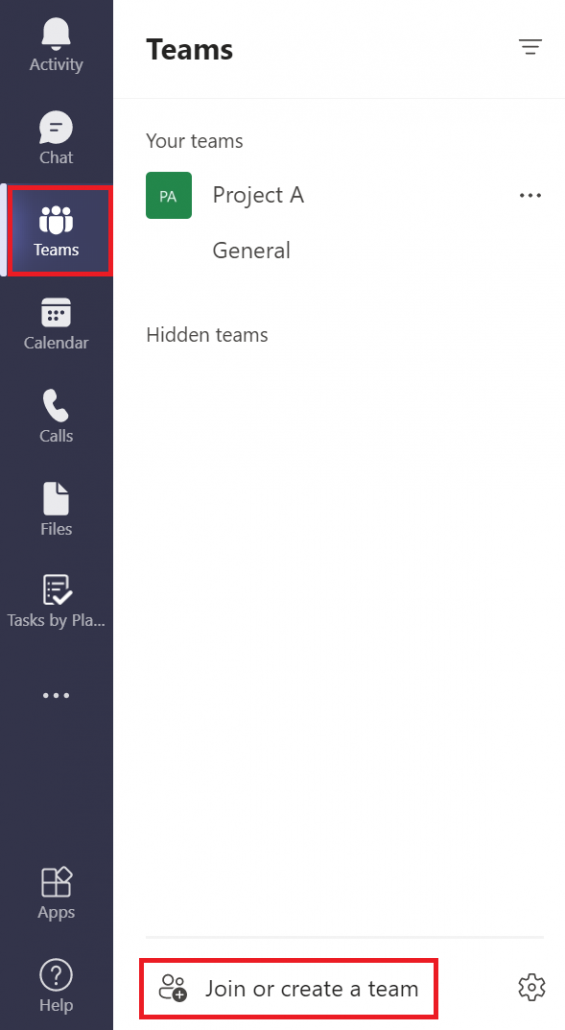
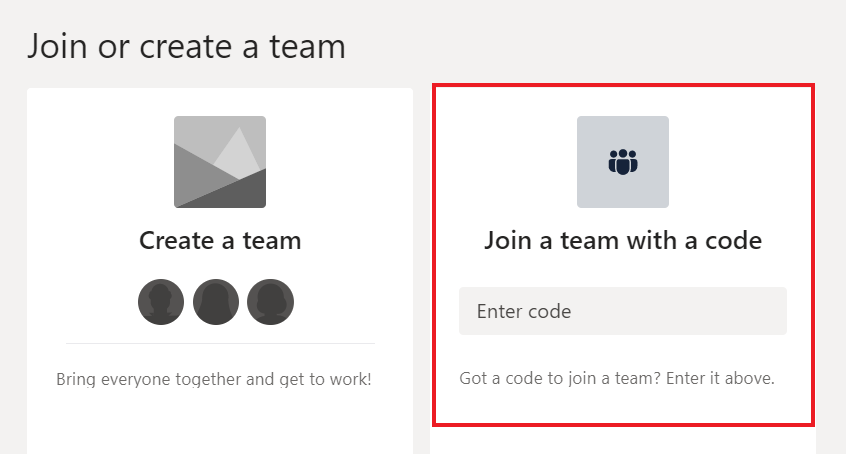
- In the next screen you will get the option to create a team or join with a code. Paste the code to join the team.
Invite with link
You can also invite members to your team by sending them a link to the team. With this alternative, the owner of the team needs to accept or deny access to the team.
- Go to your team. Select the three dots to the right of the team name.
- Click on Get link to team.
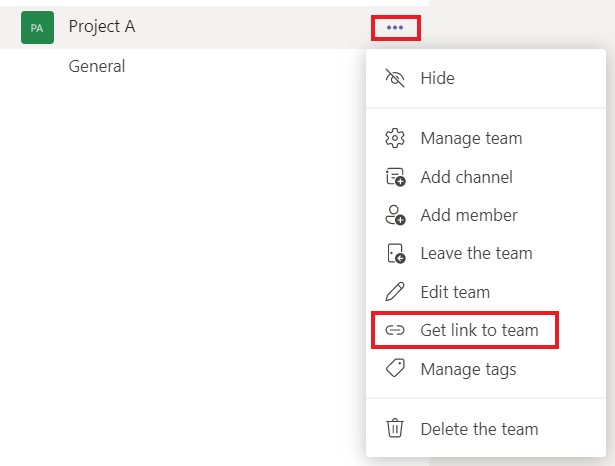
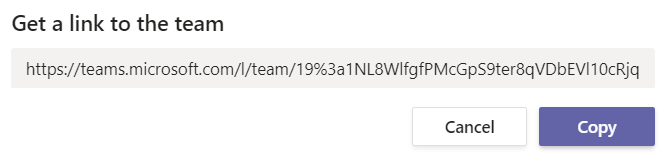
- You will then receive a link to copy and send to the members.
- When they click on the link they can ask to join the team. The owner receives notifications in Teams and by email and can decide to accept or deny access to the team.
- You can also find pending request by going to your team, clicking Manage teams and looking in the Pending requests tab.