

Change primary e-mail for you who are a student
As Umeå University has switched to the new Ladok, it may be that the e-mail address you have used for your studies here is no longer the same as in Ladok. This may affect the ability to receive notifications from Canvas. Therefore, you need to log in and check your email address.
Step 1
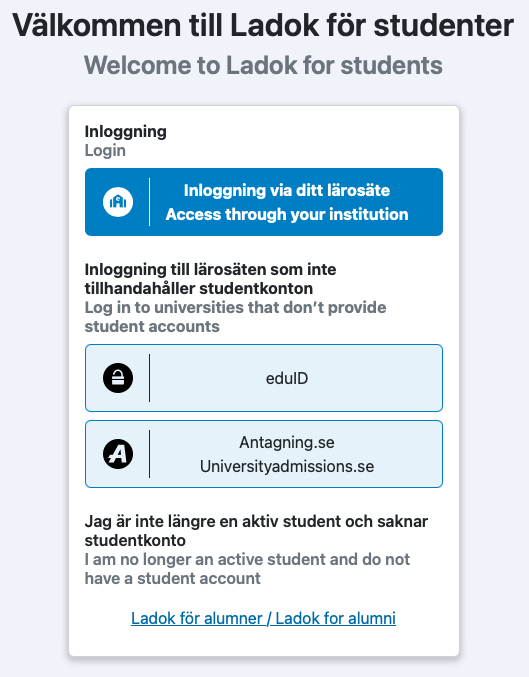
Go to https://www.student.ladok.se/student/loggain and click the Access through your institution button
Step 2
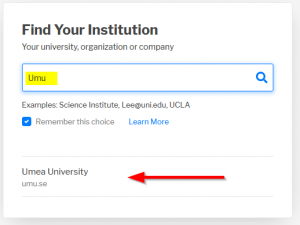
Type Umu in the Search field and Umea University is going to show up as below, click on the result.
Step 3
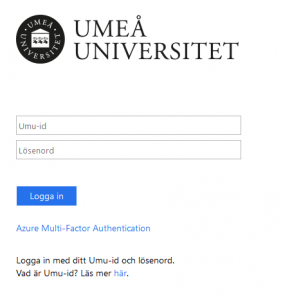
You will be redirected to the Umeå University login page.
Login with you UMU-id and Password
Step 4
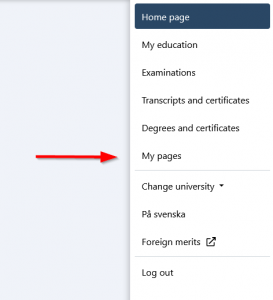
Click on My pages in the menu to the right.
Step 5
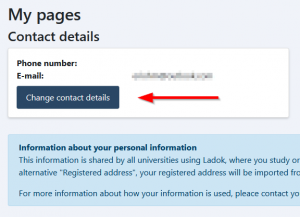
Click on the Change contact details button.
Step 6
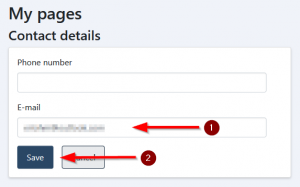
Add your private/personal e-mail address to the field E-mail (1) and click Save (2).
After you’ve done this it can take up to 15 min before all systems has been updated with you new e-mail address.