

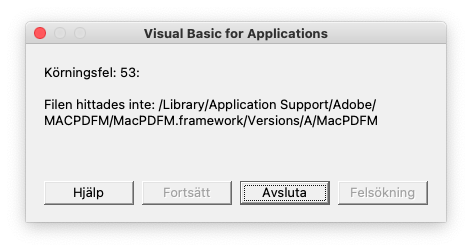
Run-time error 53 on Office 365 for Mac
Every time that I open either Word or PowerPoint, I get the Run-time error ’53
Word
- Open Word
- Go to the menu Tools -> Templates and Add-ins…
- Under Global Templates and Add-ins, remove the item linkCreation.dotm
- Close Word application
- Go to /Users/your-user-name-here/Library/Group Containers/UBF8T346G9.Office/User Content/Startup/Word/
- Remove linkCreation.dotm
- Restart Word and problem should go away.
PowerPoint
- Go to /Users/your-user-name-here/Library/Group Containers/UBF8T346G9.Office/User Content/Startup/PowerPoint/
- Remove SaveAsAdobePDF.ppam
- Launch PowerPoint
- Go to the menu Tools -> PowerPoint Add-ins…
- Remove the Save as Adobe PDF add-in
- Restart PowerPoint and the problem should go away.