

Logging in at Universityadmissions.se
You can log in to universityadmissions.se via Swedish Universities with help of your UMU-id.
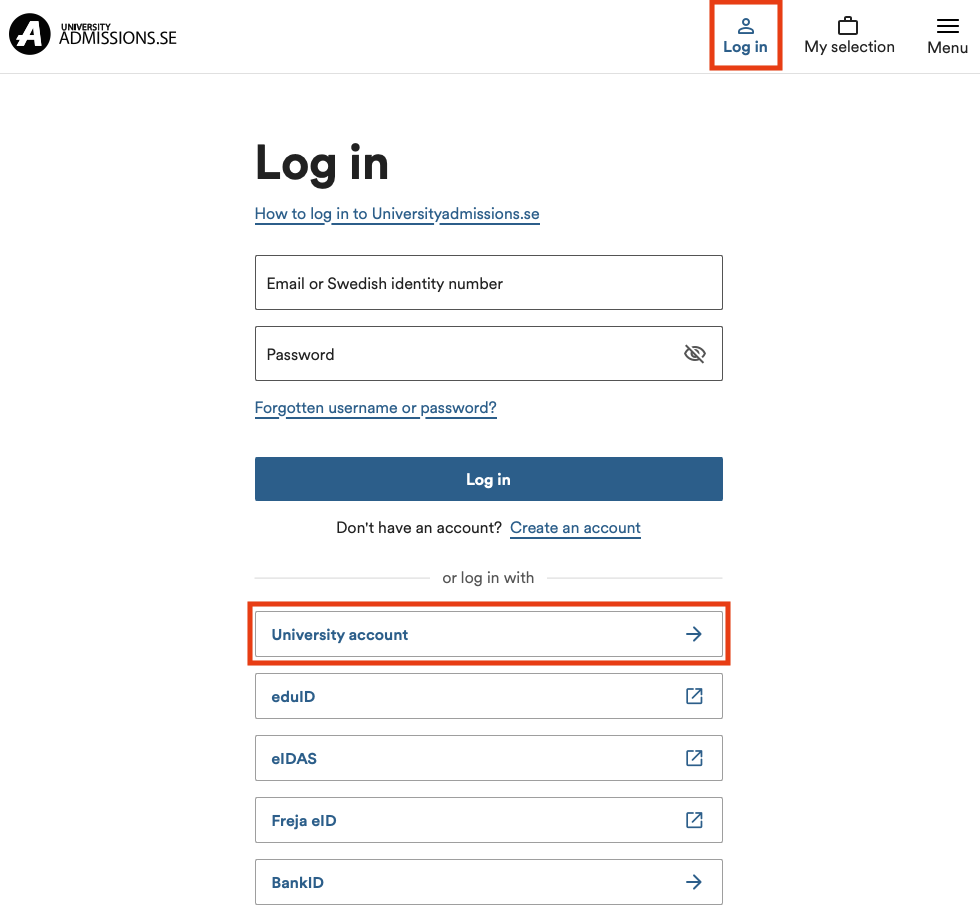
To login at universityadmissions.se do the following:
1. Go in to the website https://www.universityadmissions.se/intl/start and click on the Log in tab in the upper right.
2. Go to University account and select Umeå University from the drop down list and then click on To Student Portal.
3. You will be redirected to a login page where you are required to login with help of your UMU-id along with accompanying password.
If you don’t remember the password to your student mail
- You can request a new temporary identity via https://www.servicedesk.its.umu.se/Activation/Guide/
- The alternative is to visit us at Servicedesk (remember photo-ID) and get a new temporary identity direct.