
Manual

Manual
  • Svenska
  • Menu Menu

Upload files and folders in SharePoint

Updated: 2025-10-07/in Employee, English, Microsoft 365, Sharepoint, Student /by Oscar Lundberg

In this manual, we decribe how to upload files and folders in SharePoint document library. 

  1. Open the SharePoint document library you want to upload files to.
  2. Select Upload.
  3. Select if you want to upload a file, folder, or template.
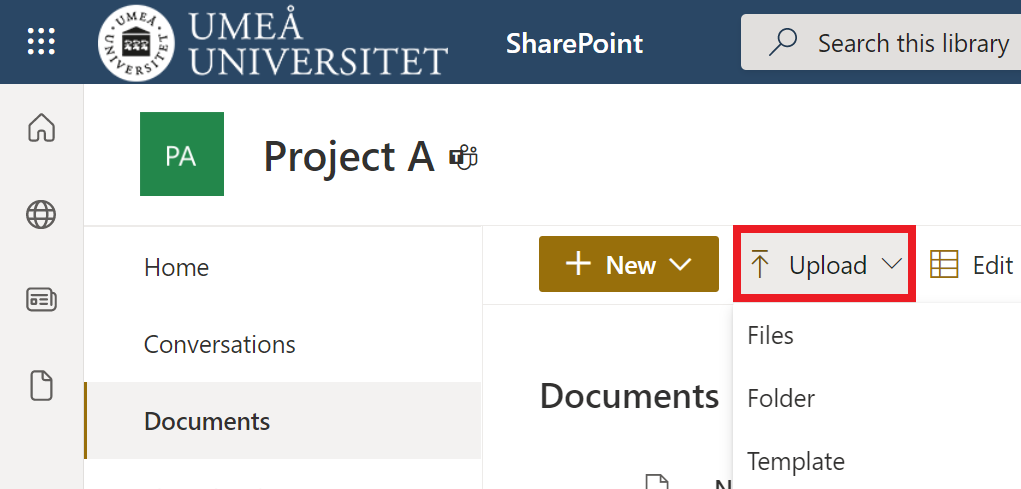
    upload files in sharepoint - upload - select files folder template
  4. Your File Explorer (Windows) or Finder (Apple) will open.
  5. Select a file or folder to upload.

Drag files to SharePoint

  1. Open a SharePoint document library you want to drag files to.
  2. Open your File Explorer (Windows) or Finder (Apple).
  3. Choose a file from your computer.
  4. Drag it from your File Explorer/Finder and drop it in SharePoint document library.
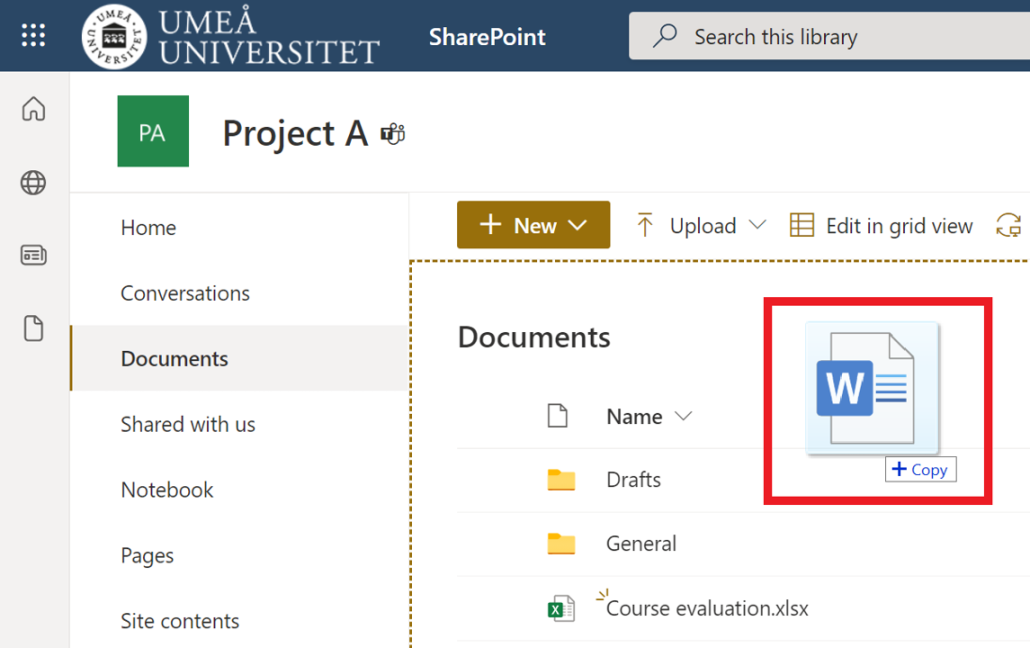
    drag and drop files in sharepoint
https://manual.umu.se/wp-content/uploads/2018/02/manual-loggo.png 0 0 Oscar Lundberg https://manual.umu.se/wp-content/uploads/2018/02/manual-loggo.png Oscar Lundberg2021-10-15 08:43:592025-10-07 08:38:52Upload files and folders in SharePoint

Contact ITS Service Desk

Create a support ticket at www.umu.se/servicedesk, call 090-786 63 00 or visit us next to Infocenter.

Kategorier

Related links

  • Create a document library in SharePoint
Scroll to top Scroll to top Scroll to top