
Manual

Manual
  • Svenska
  • Menu Menu

Settings for Teams telephony

Updated: 2025-09-11/in Employee, Microsoft 365, Teams /by Sanna Jacobsson

This is what you will see when you click on the “Calls” tab in Teams.
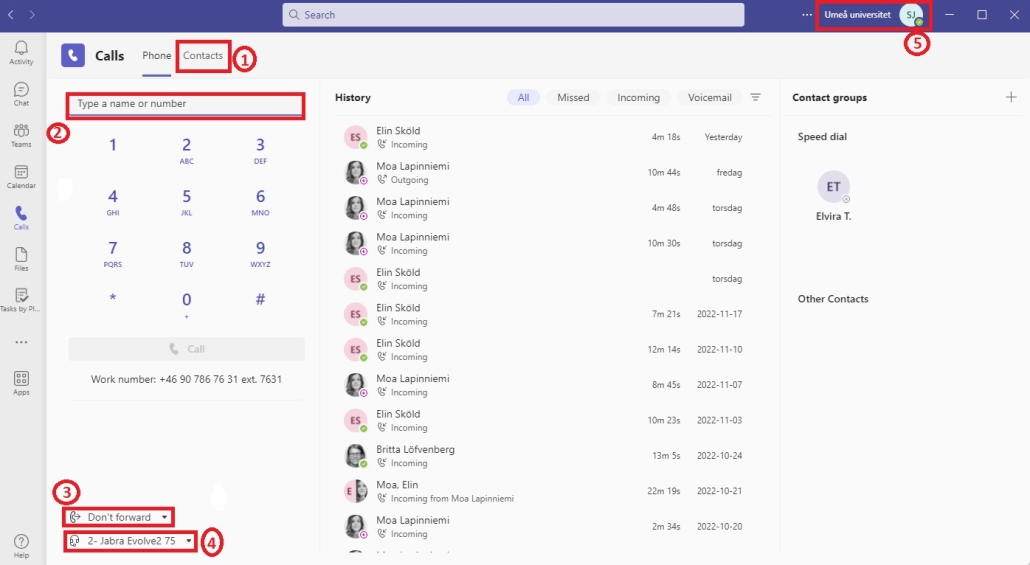
Image showing the view for Calls in Teams

  1. View and add new contacts.
  2. Write the number you want to call or search for a name and call directly.
  3. Choose if you want to forward your calls and find other settings for calls.
  4. Settings for your sound device. Choose which sound device you want to use.
  5. Click on your profile to change your status and set a status message. You can also schedule your absence.

You reach your settings by going to your profile in the top right corner, then choose  “Calls”.
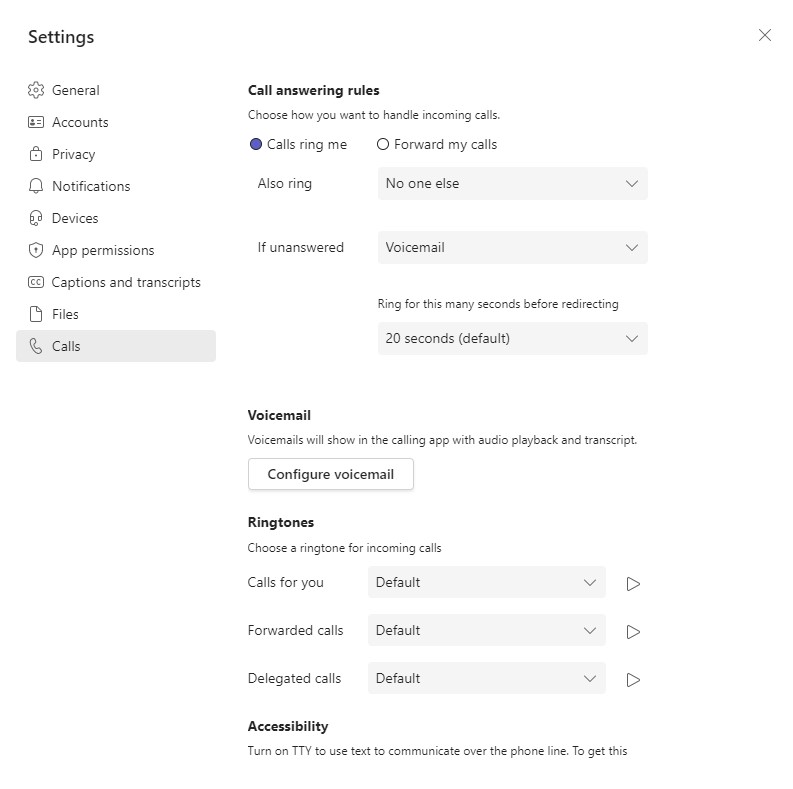
Image showing the settings for Calls in Teams


https://manual.umu.se/wp-content/uploads/2018/02/manual-loggo.png 0 0 Sanna Jacobsson https://manual.umu.se/wp-content/uploads/2018/02/manual-loggo.png Sanna Jacobsson2022-11-29 09:54:582025-09-11 09:26:56Settings for Teams telephony

Contact ITS Service Desk

Create a support ticket at www.umu.se/servicedesk, call 090-786 63 00 or visit us next to Infocenter.

Kategorier

Related links

  • Vanliga frågor och svar om telefoni i Teams
  • Inställningar för telefoni i Teams (mobilvy)
Scroll to top Scroll to top Scroll to top