
Manual

Manual
  • Svenska
  • Menu Menu

Forward student email to my private address

2017-06-22/in Employee, English, Student

These instructions are for those who wish to forward their email to a private email address.

Login to  http://o365.umu.se
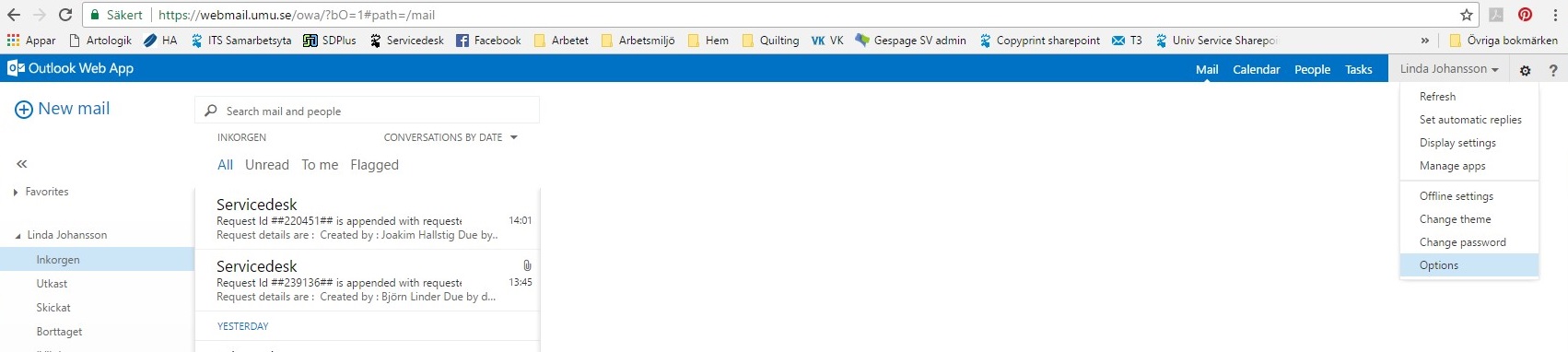
Klick on the ‘gear‘ icon in the top right hand corner.
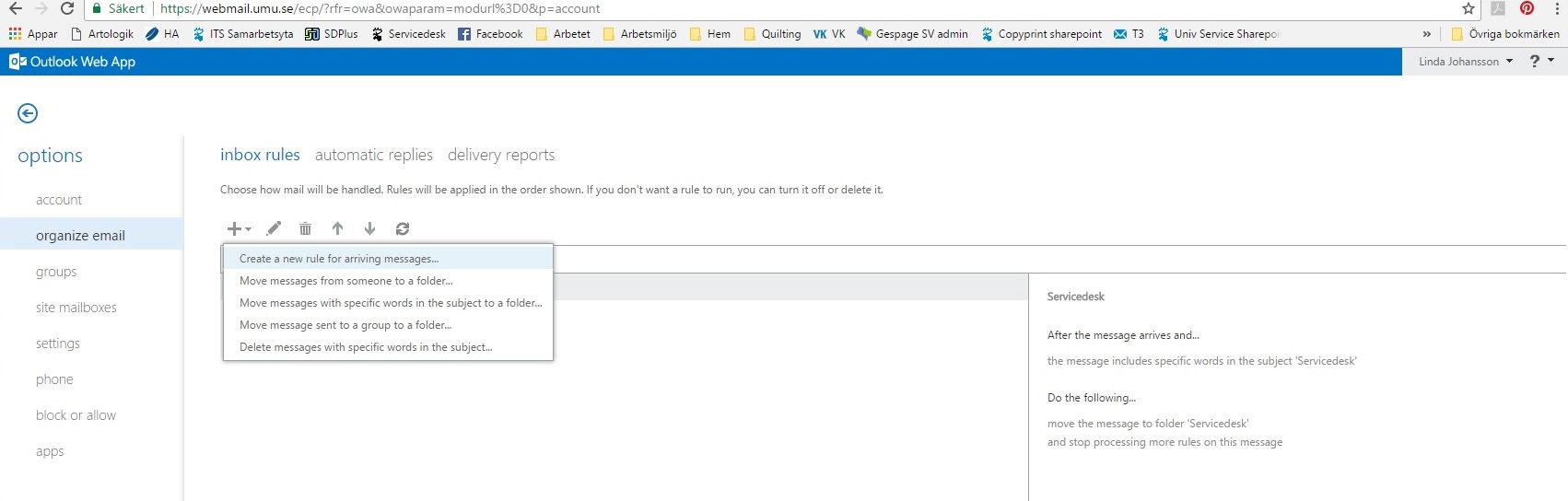
On the left menu system choose ‘organize email’ then Create a new rule for arriving messages.
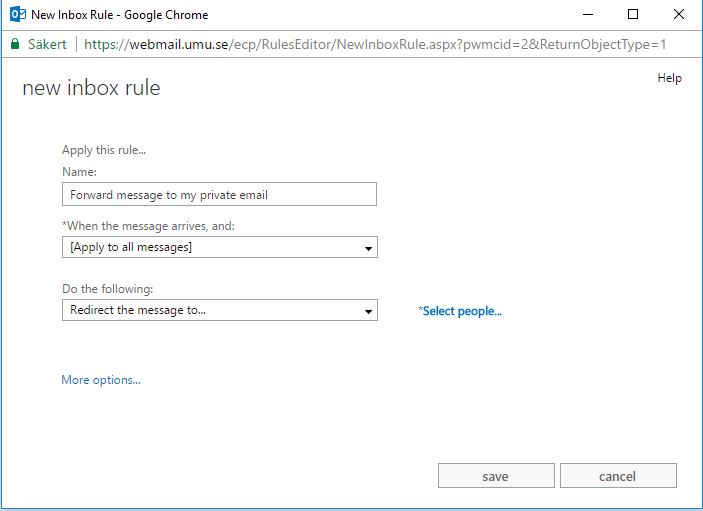
Here you choose the name for your rule, which message(s) it should apply to and the conditions it applies to (for example, forward message to…)
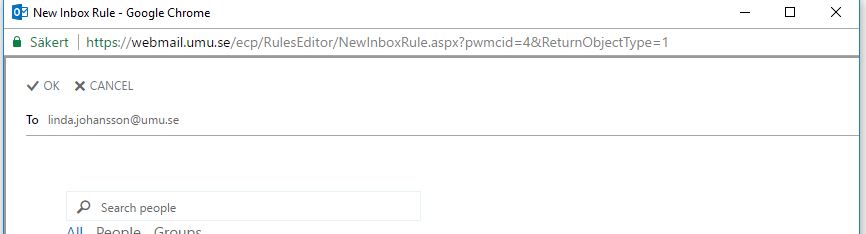
In the box that opens, write in the email address or search after a person or email address you wish the message(s) to be sent to.
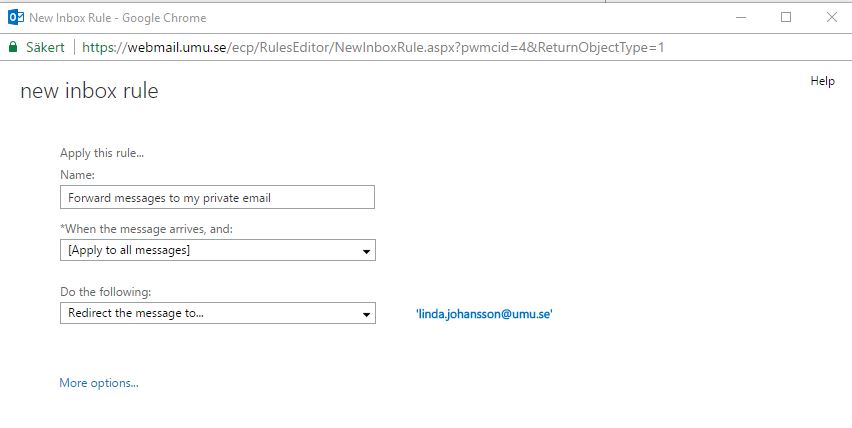
Click on Save.  Choose YES, then OK
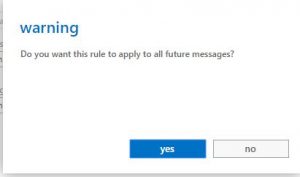
You have now created a rule that forwards all email to another address.  This rule appears in your list with a check mark beside it stating that the rule is now enforced.

https://manual.umu.se/wp-content/uploads/2018/02/manual-loggo.png 0 0 Jonas Sundström https://manual.umu.se/wp-content/uploads/2018/02/manual-loggo.png Jonas Sundström2017-06-22 12:34:592019-01-10 12:31:30Forward student email to my private address

Microsoft 365 for telephones/tablets

2017-06-20/in Employee, English, Microsoft 365, Student

As a student you have access to the Office-package during your study time.  That package includes, amongst other things, Word, Excel and PowerPoint. The package is available via your apps download program (ex. App Store, Google Play, Windows Store).

  1. Download and install the package (ex. App Store, Google Play, Windows Store)
  2. When the installation is finished you can start one of the programs  (ex Word) by clicking on Login
  3. Use your Umu-id@ad.umu.se as a login.


https://manual.umu.se/wp-content/uploads/2018/02/manual-loggo.png 0 0 Maja Wik https://manual.umu.se/wp-content/uploads/2018/02/manual-loggo.png Maja Wik2017-06-20 07:24:332026-01-05 14:31:27Microsoft 365 for telephones/tablets

The wireless network at Umeå University

2017-06-16/in Employee, English, Student, Wireless network

Information about the wireless network at the Umeå University campus.

Read more
https://manual.umu.se/wp-content/uploads/2018/02/manual-loggo.png 0 0 Erik Öhman https://manual.umu.se/wp-content/uploads/2018/02/manual-loggo.png Erik Öhman2017-06-16 13:22:212026-04-07 13:20:39The wireless network at Umeå University
Page 11 of 11«‹91011

Contact ITS Service Desk

Create a support ticket at www.umu.se/servicedesk, call 090-786 63 00 or visit us next to Infocenter.

Kategorier

Related links

  • What is eduroam?
    Scroll to top Scroll to top Scroll to top