
Manual

Manual
  • Svenska
  • Menu Menu

Turn on Microsoft editor in the Edge browser

Updated: 2026-08-14/in Employee, English, Microsoft 365, Okategoriserade, Student /by Elin Sköld

This guide shows how you can enable Microsoft Editor in the Edge browser.

  • In the Edge browser, click the three dots in the top-right corner, then select Settings, and then Languages.
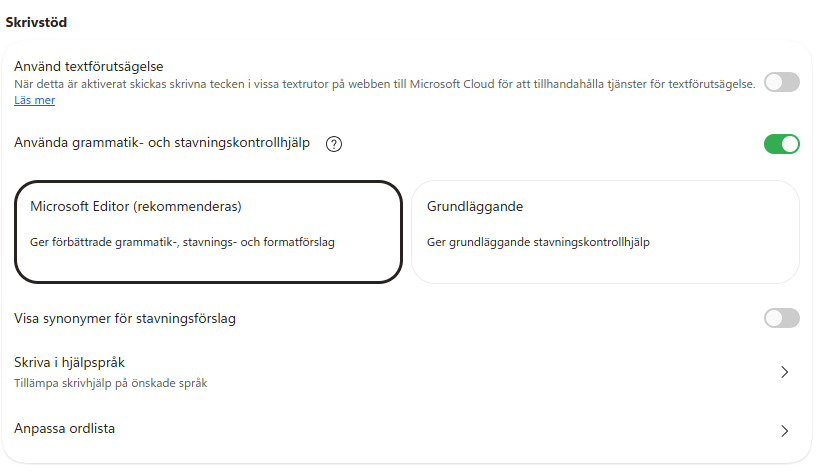
  • Under Writing assistance, you can enable Microsoft Editor.
 

https://manual.umu.se/wp-content/uploads/2018/02/manual-loggo.png 0 0 Elin Sköld https://manual.umu.se/wp-content/uploads/2018/02/manual-loggo.png Elin Sköld2024-08-06 11:15:562026-08-14 13:33:28Turn on Microsoft editor in the Edge browser

Contact ITS Service Desk

Create a support ticket at www.umu.se/servicedesk, call 090-786 63 00 or visit us next to Infocenter.

Kategorier

Scroll to top Scroll to top Scroll to top